
GTranslate Review: Breaking Language Barriers for WordPress Websites

When your website attracts global visitors, language becomes a key barrier. That’s where GTranslate comes in. This WordPress translation plugin makes your content accessible to audiences worldwide, offering both free machine translation and paid professional options. It’s worth spotlighting because it boosts user experience, SEO reach, and engagement by eliminating language limitations.
Plugin Overview
- Plugin Name: GTranslate
- Category: Multilingual
- Compatibility: WordPress version 2.8.1 or higher and tested up to 6.8.2
- Pricing: The plugin provides a free version with limited features, but the pricing starts at $9.99/month, followed by three more plans according to business type.
- Active Installations: 800,000+ (wordpress.org)
- Ratings & Reviews: Obtains a rating of 4.9 out of 5 (wordpress.org)
Admin Dashboard Overview
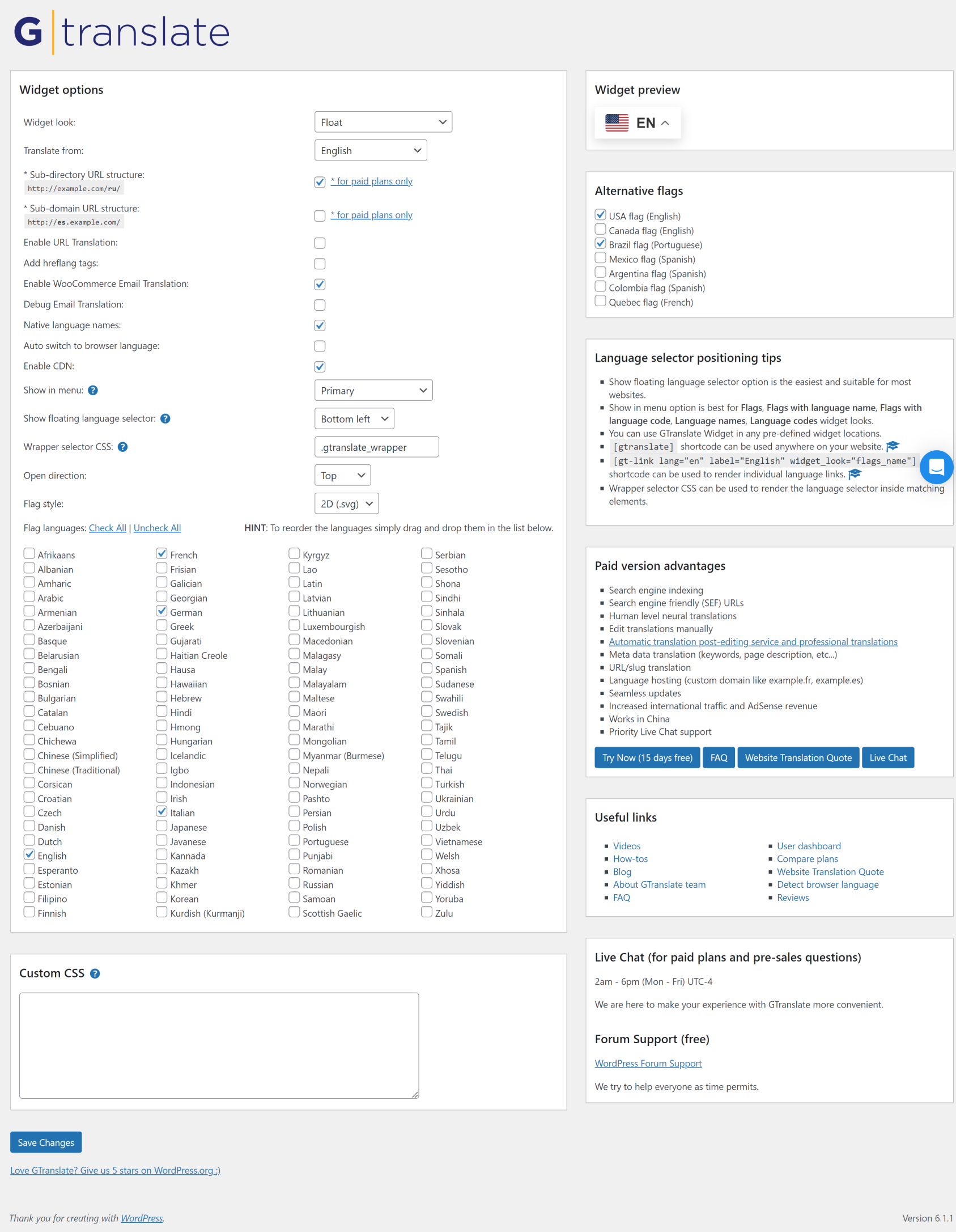
The admin dashboard offers a thorough and intuitive interface for setting up every feature of the translation widget, along with settings that allow easy customization of the widget’s behavior and look.
Key features available in this overview include:
- Widget Look and Positioning: Widget Look and Positioning allows you to choose between floating or inline widget styles and set the dropdown position for language selectors to optimize placement on the site.
- Translation Source & URL Structure: Allows you to set up subdirectory or subdomain URL structures and provides the option to specify the language to be translated. Some settings are exclusive to paid plans.
- Language Options: The language options use flags next to the language names, indicating which languages the widget should support. The language list can be arranged for priority display using the drag-and-drop feature.
- Advanced Settings: Advanced settings play a major role in improving user experience by enabling URL translation, debug email translation, WooCommerce email translation, and native language names.
- Floating Language Selector: The Floating Language Selector offers the option to choose its display position, either at the top or bottom of the screen, along with various positioning options.
- Flag Styles and Formats: Flag Styles and Formats gives you the option to select from 2D and 3D flag styles to match the site’s design.
- Custom CSS Input: Provides a dedicated input area for entering custom CSS for additional widget appearance and customization.
- Widget Preview: The widget preview acts as a medium to increase workflow efficiency by live previewing the changes to the widget’s look and languages selected instantly on the right side.
The dashboard provides essential controls and customization options for admins of various skill levels, making it easy to integrate multilingual support throughout the WordPress sites.
User Dashboard Overview
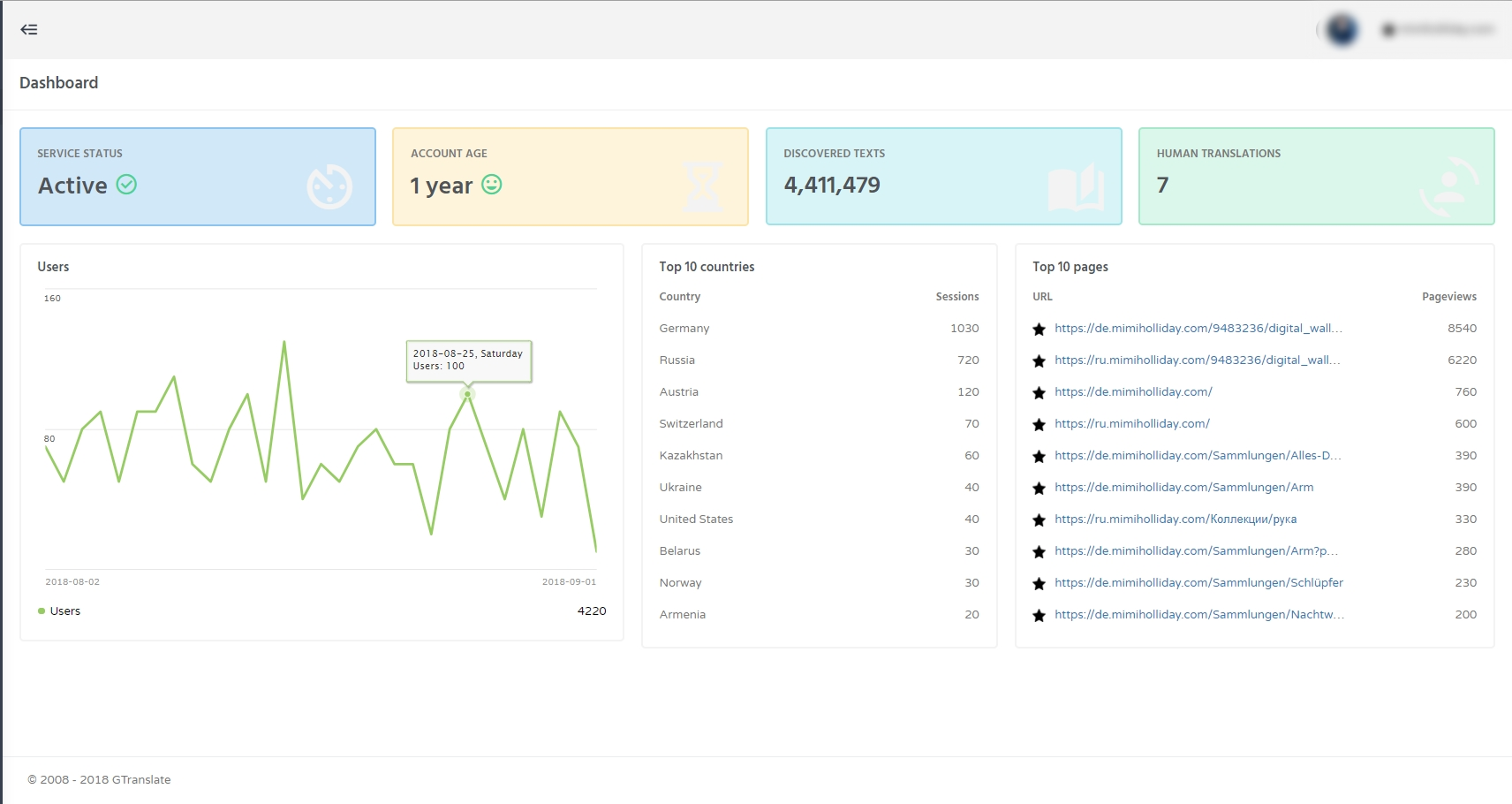
Dashboard
The dashboard gives you an overview of your subscription status, like whether it’s active or expired in nature.
Setup Wizard
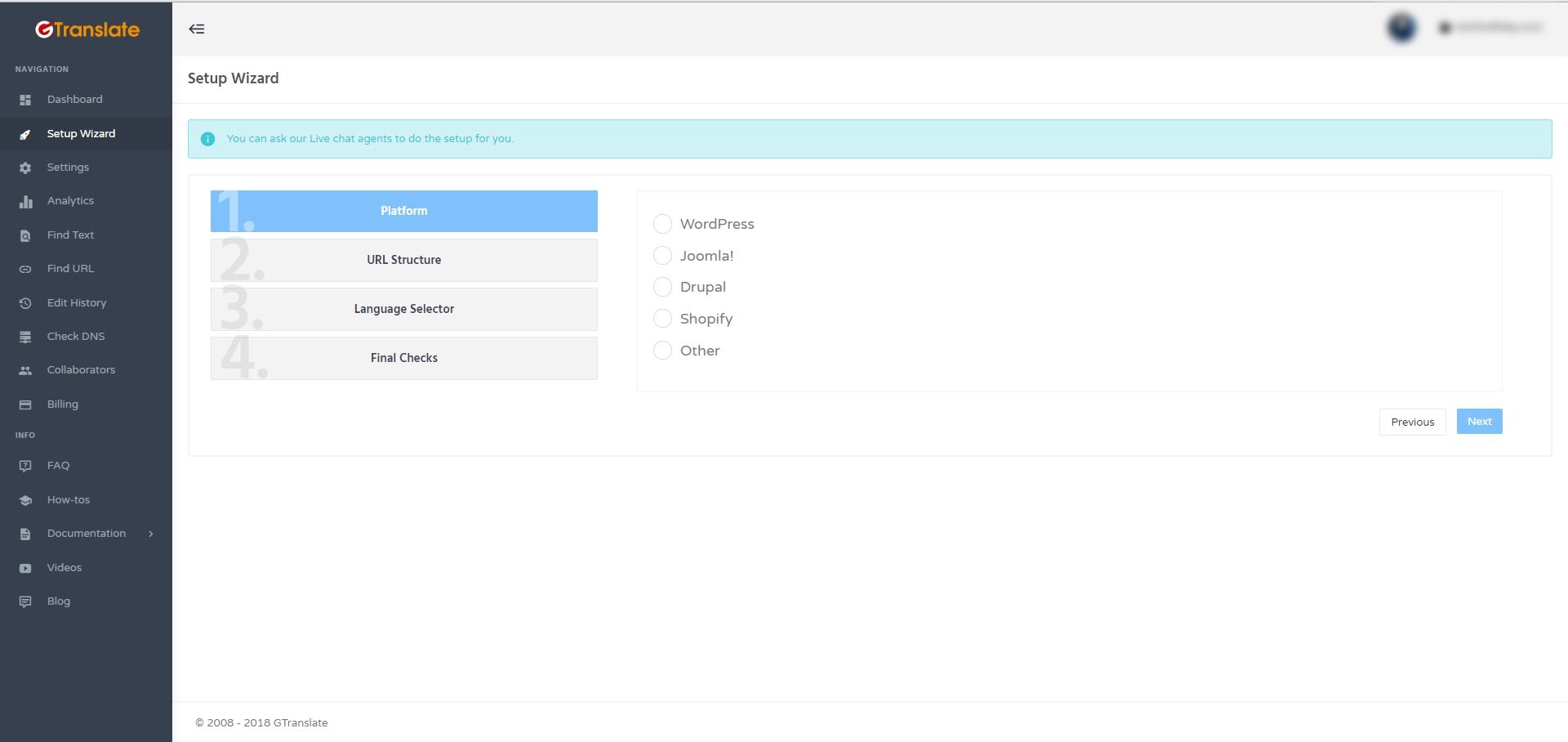
The setup wizard section is considered one of the important features of GTranslate, as it navigates you through the process of configuring the plugin.
Settings
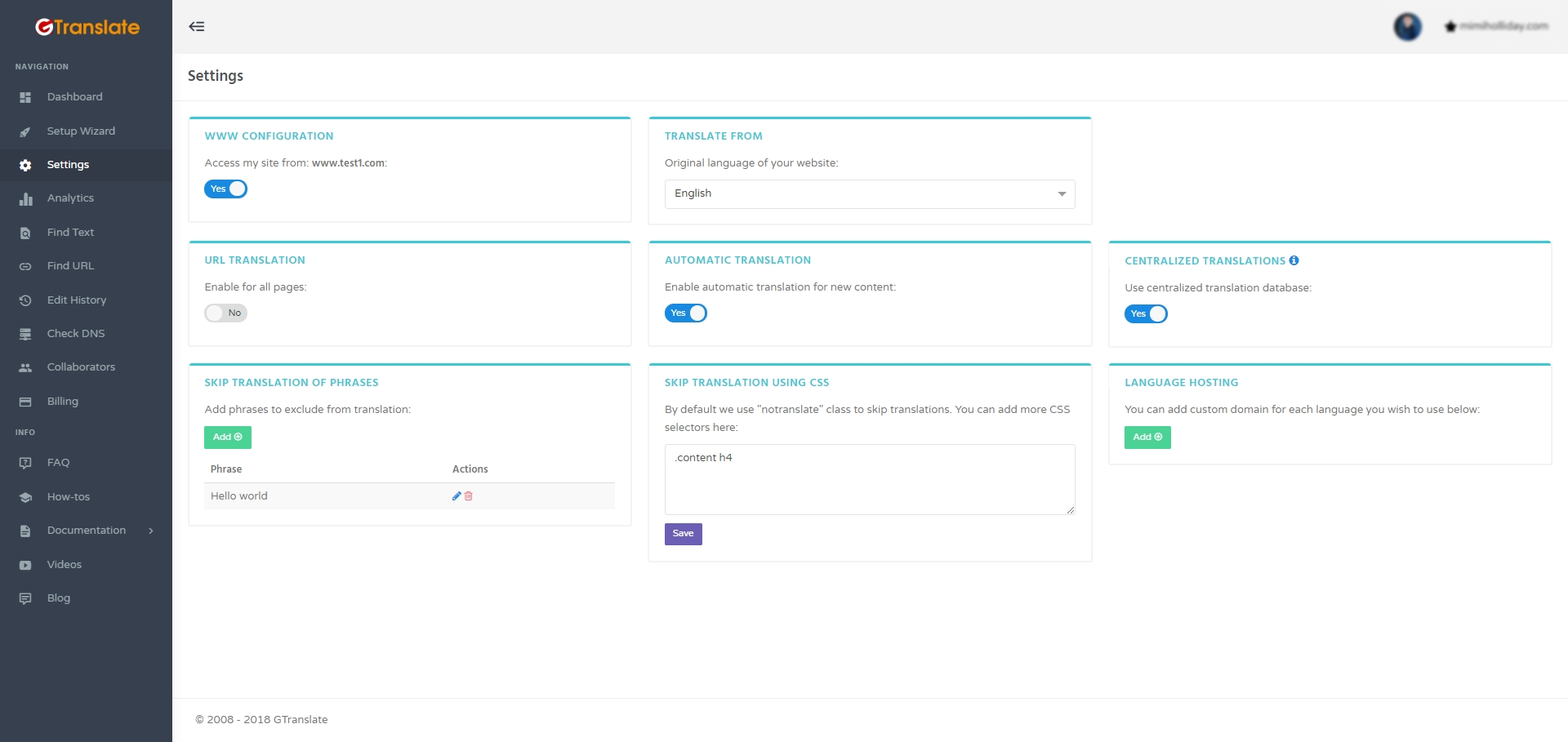
The settings section provides you with comprehensive control over the appearance of translations on your website. Here, you can establish the primary language of your site and decide whether to activate or deactivate automated translations. You also have the option to select and decide whether to use centralized translations to maintain consistency across all content. Furthermore, you have the ability to manage URL-based translations to prevent specific words or CSS elements from being translated. These settings are instrumental in enhancing the translation process by ensuring accuracy, increasing efficiency, and delivering a smooth multilingual experience for the audience.
Analytics
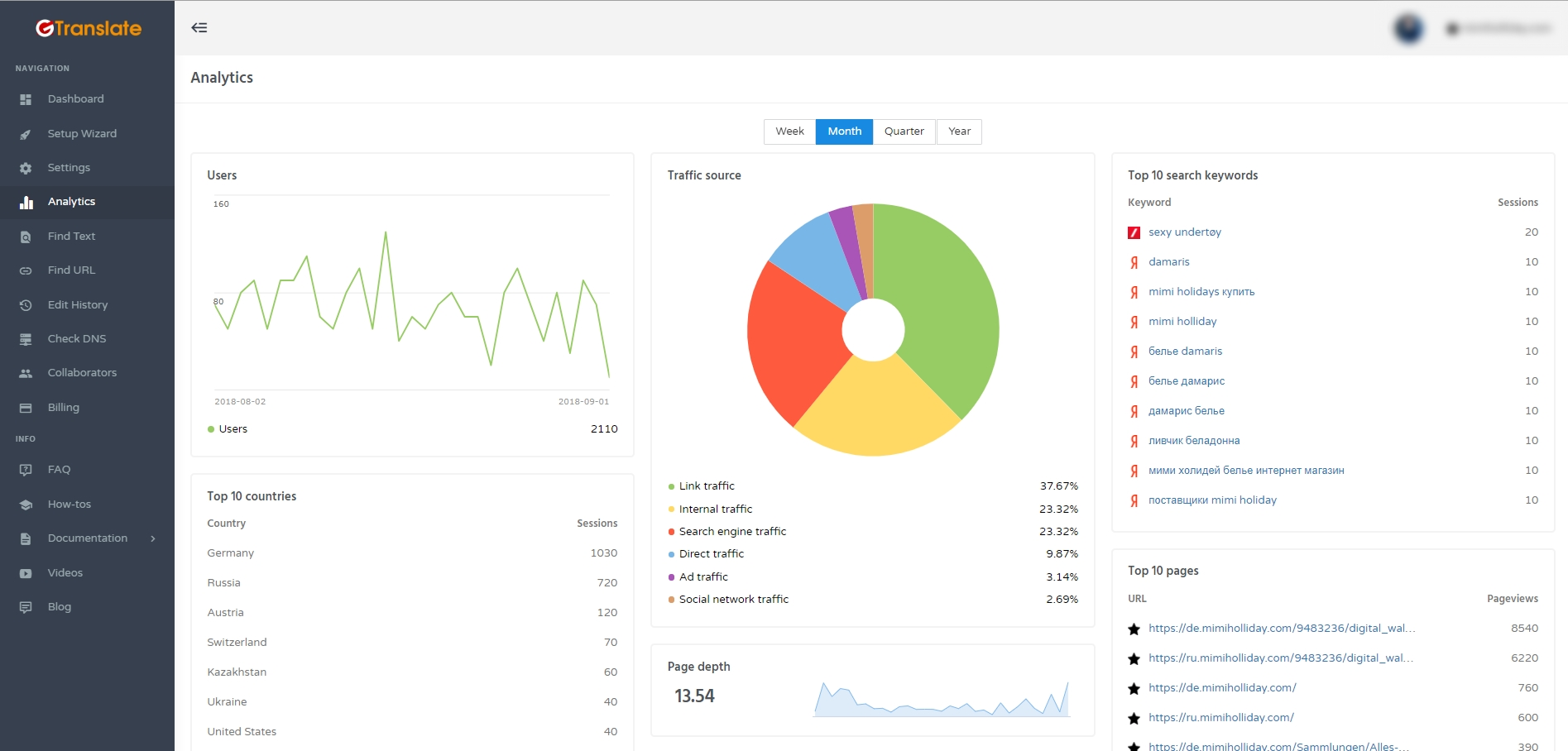
The Analytics section gives you clear insights into how your multilingual website is performing. Since traffic is the ultimate goal of going multilingual, this feature helps you track and measure the impact of translated pages. You can view user activity trends, identify your top traffic sources, and analyze performance across different countries. Detailed reports such as top search keywords, most visited pages, and session depth provide valuable data to understand user behavior. With these insights, you can evaluate which languages and regions bring the most engagement and make smarter decisions to optimize your global growth campaigns.
Find Text
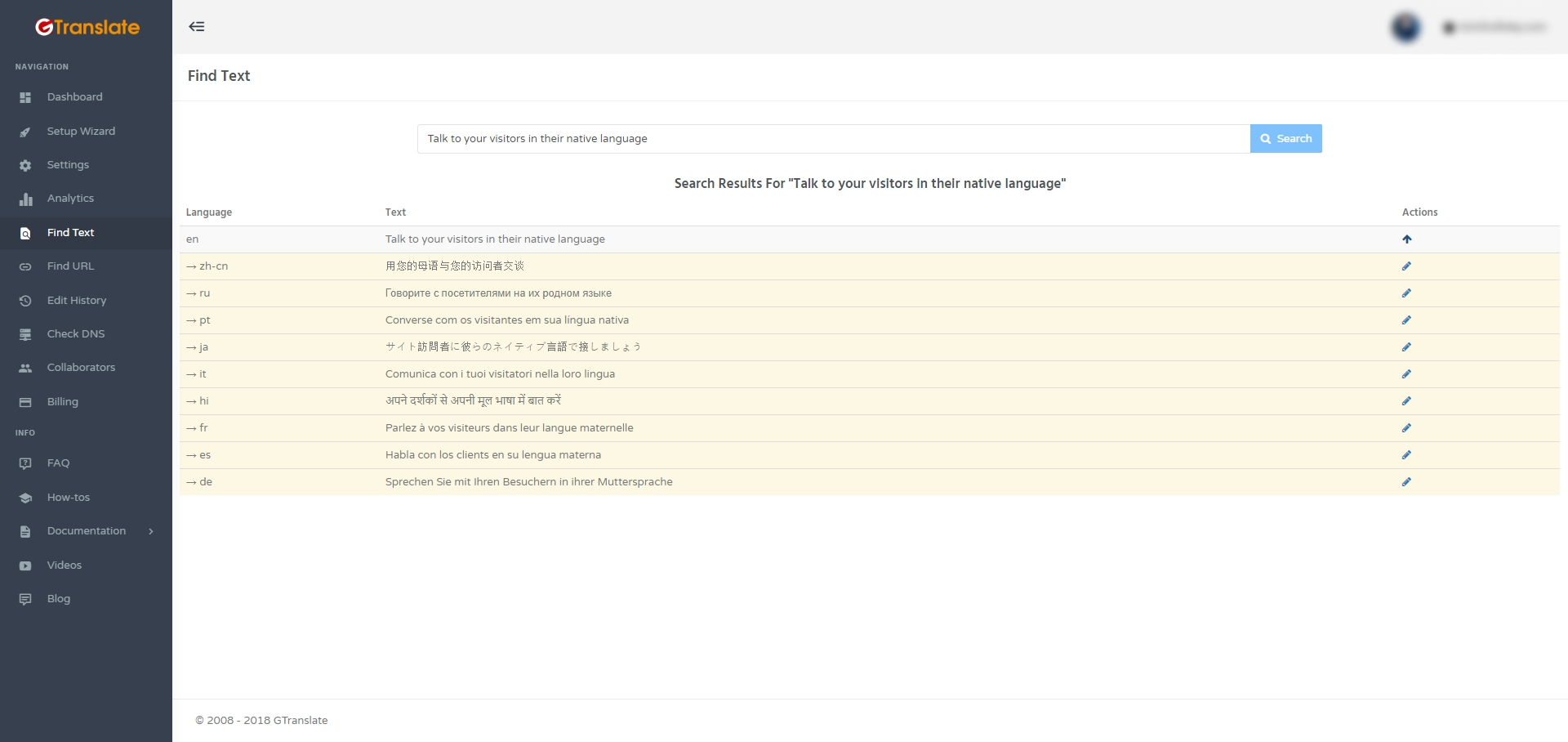
The Find Text menu offers an efficient way to locate and modify specific pieces of text across an entire website. With this feature, all language versions of a given text are displayed in a single view, making it easy to manage and update translations directly from the dashboard. The accompanying image highlights how users can seamlessly work with multilingual content and streamline their editing workflow.
Find URL
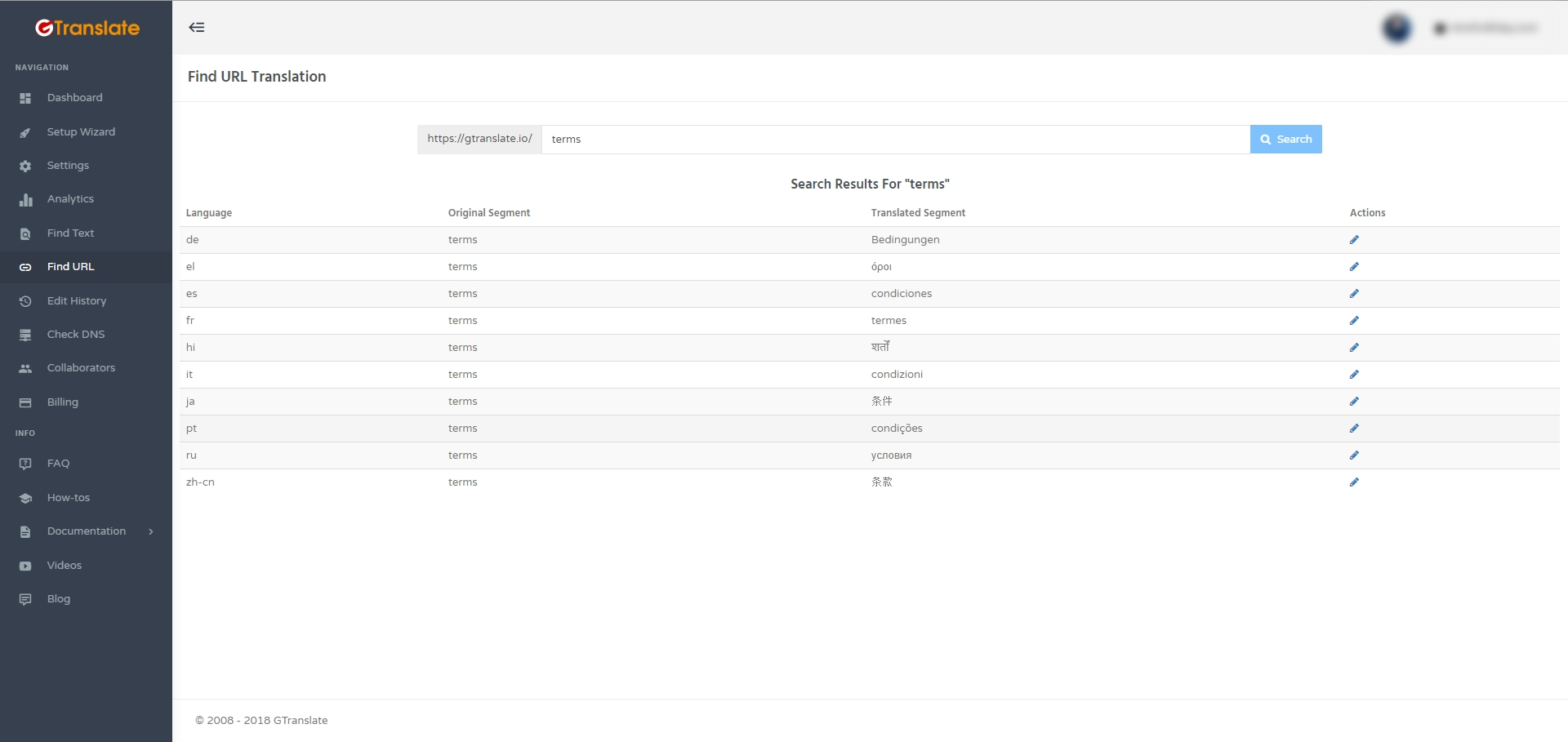
The Find URL offers a streamlined way to manage and edit translated website URLs, helping align your site structure with SEO strategies. Users can conveniently update how individual pages appear in multiple languages, directly from the dashboard, supporting better search engine visibility. The included image shows how you can view and adjust URL segments and their translations for improved multilingual SEO performance.
Edit History
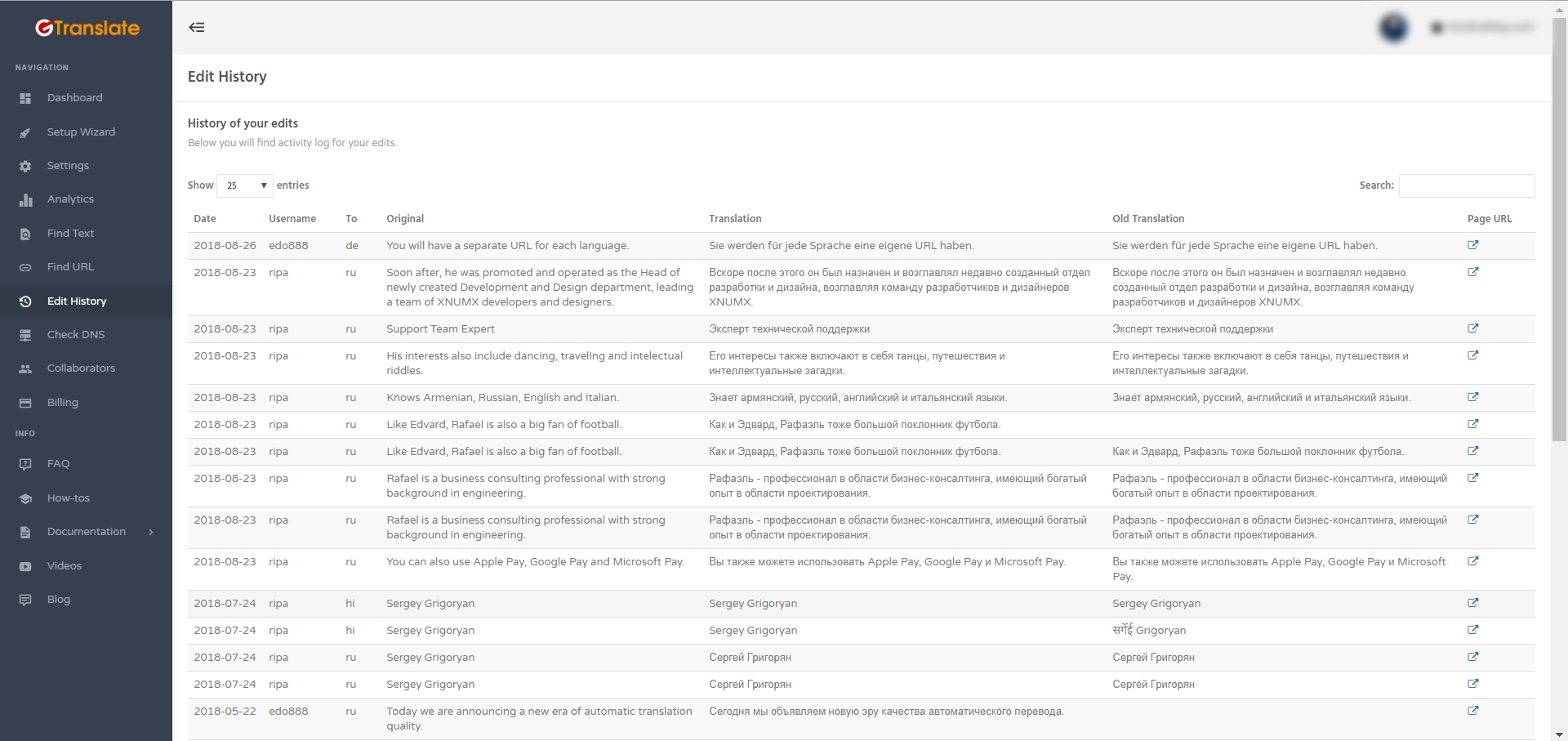
The Edit History provides visibility into all modifications made to translated content, allowing users to review and track changes over time. Even with advanced machine translations, human review remains crucial for accuracy, and this tool helps manage revisions by linking directly to the edited pages. The integrated image displays how edits are logged, making it simple to audit and refine multilingual content.
Check DNS
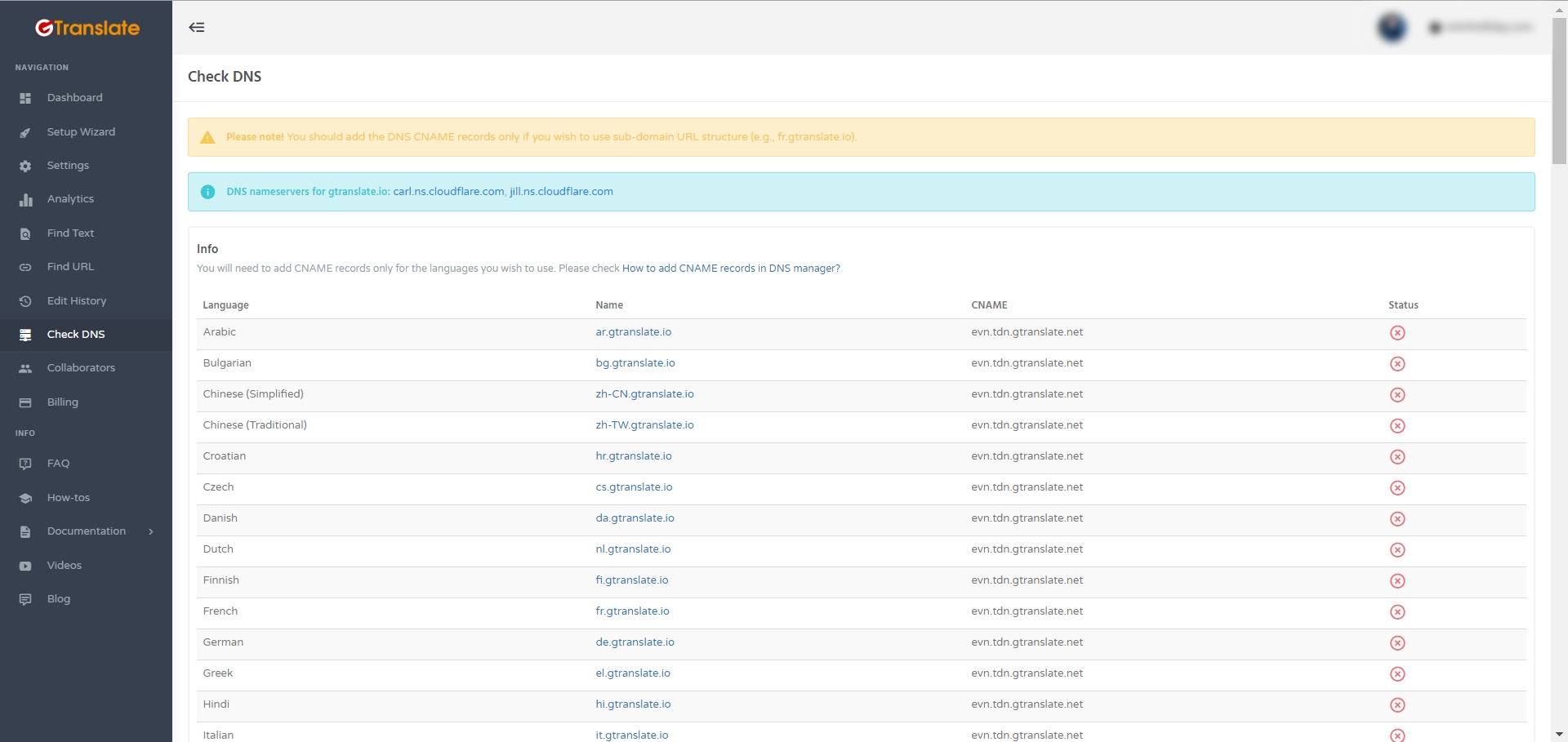
The Check DNS helps in ensuring accuracy and reliability in your domain’s configuration. While automated systems like Google’s neural translation adapt and improve daily, manual verification remains essential for quality assurance. With this tool, you can review changes, track edits in the Edit History, and directly navigate to the pages where updates have been applied.
Collaborators
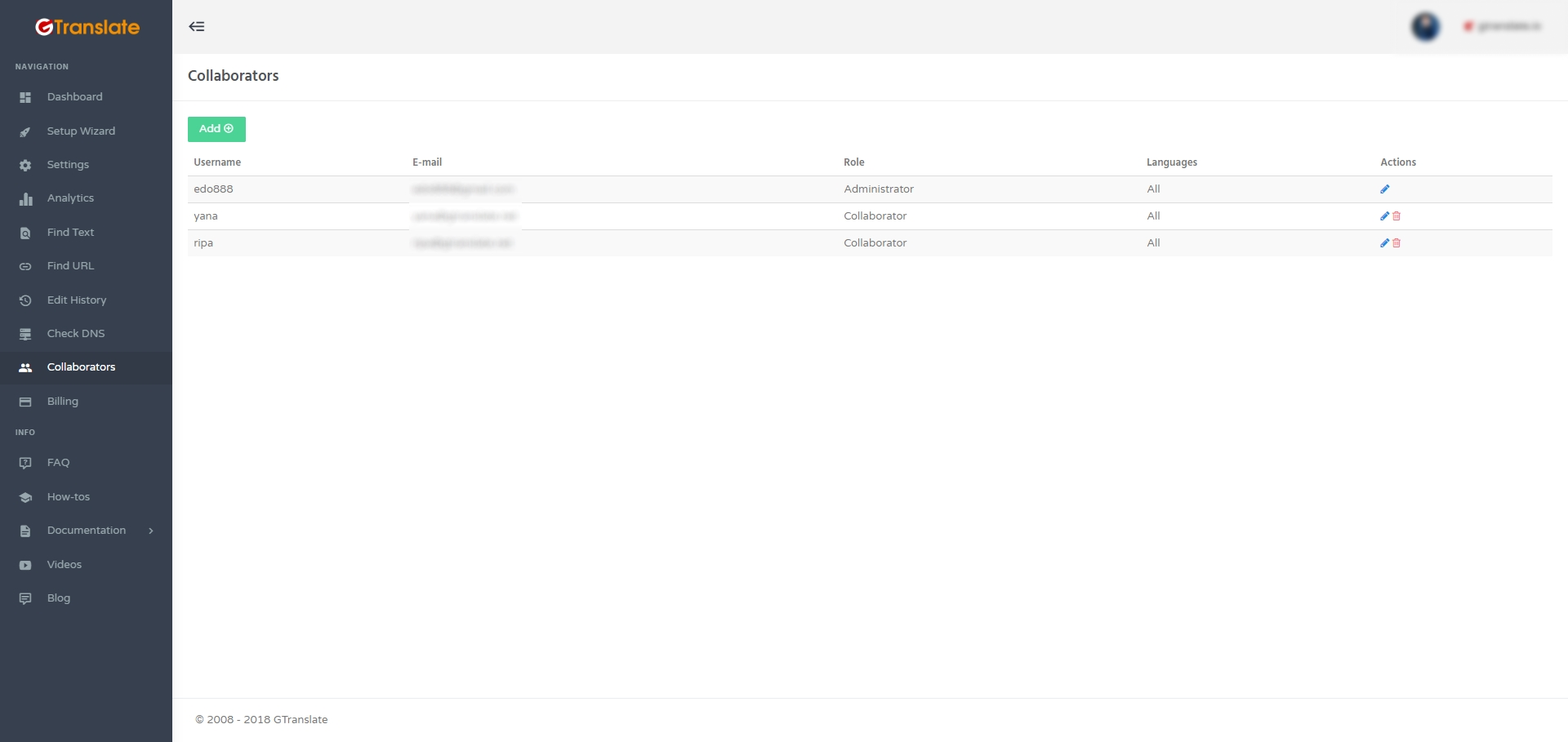
The Collaborators menu allows you to invite others by adding them as collaborators or administrators. You can assign them to a specific language or grant access to all, then share the login details to start working together seamlessly.
Key Features
- Global Search Reach: The global search reach feature plays a major role in the indexing of translated pages, increases websites’ organic traffic and global reach, and makes it easier for users to find the goods and services offered in their native language.
- Language-Specific URLs: The language-specific URLs provide every language its own dedicated URL, like https://fr.domain.com. This approach enhances multilingual SEO, making it easier for search engines to understand and even contribute to the visibility in AI-powered tools and response engines like voice assistants.
- Smart AI Translation: The plugin comes up with an advanced neural AI technology that translates the website content automatically across multiple languages with high accuracy. Unlike other services, which charge extra for AI translations, GTranslate includes them without any additional cost, making it an affordable and possible choice among website owners.
- Inline Translation Editor: The inline translation editor feature allows you to fine-tune translations directly in the context, ensuring the important terms, brand messaging, and tone remain consistent across all languages.
- Translation Insights: It’s vital to understand how your translated content performs, and keeping this in mind, GTranslate comes up with detailed analytics data within the dashboard, making it much easier for you to track visitor traffic and which languages are performing well. By these evaluations, you can make additional changes to improve it further.
- Country-Specific Domains: GTranslate allows you to designate distinct domains for each language (for example, domain.fr for France), and it’s helpful in boosting your presence in regional marketplaces alongside your website, which will rank in region-specific search results.
- Multilingual URL Optimization: As you may know, URLs are crucial for search engine optimization, particularly for multilingual websites. Recognizing the significance of GTranslate enhances your URLs, making them more optimized for search engines and user-friendly by automatically translating them into your target language.
- Effortless Automatic Updates: Although managing updates can be time-consuming, GTranslate guarantees smooth operation without any issues. There is no need for you to install or monitor anything, as the plugin updates automatically, providing you with access to the latest features, enhancements, and security patches.
Pricing
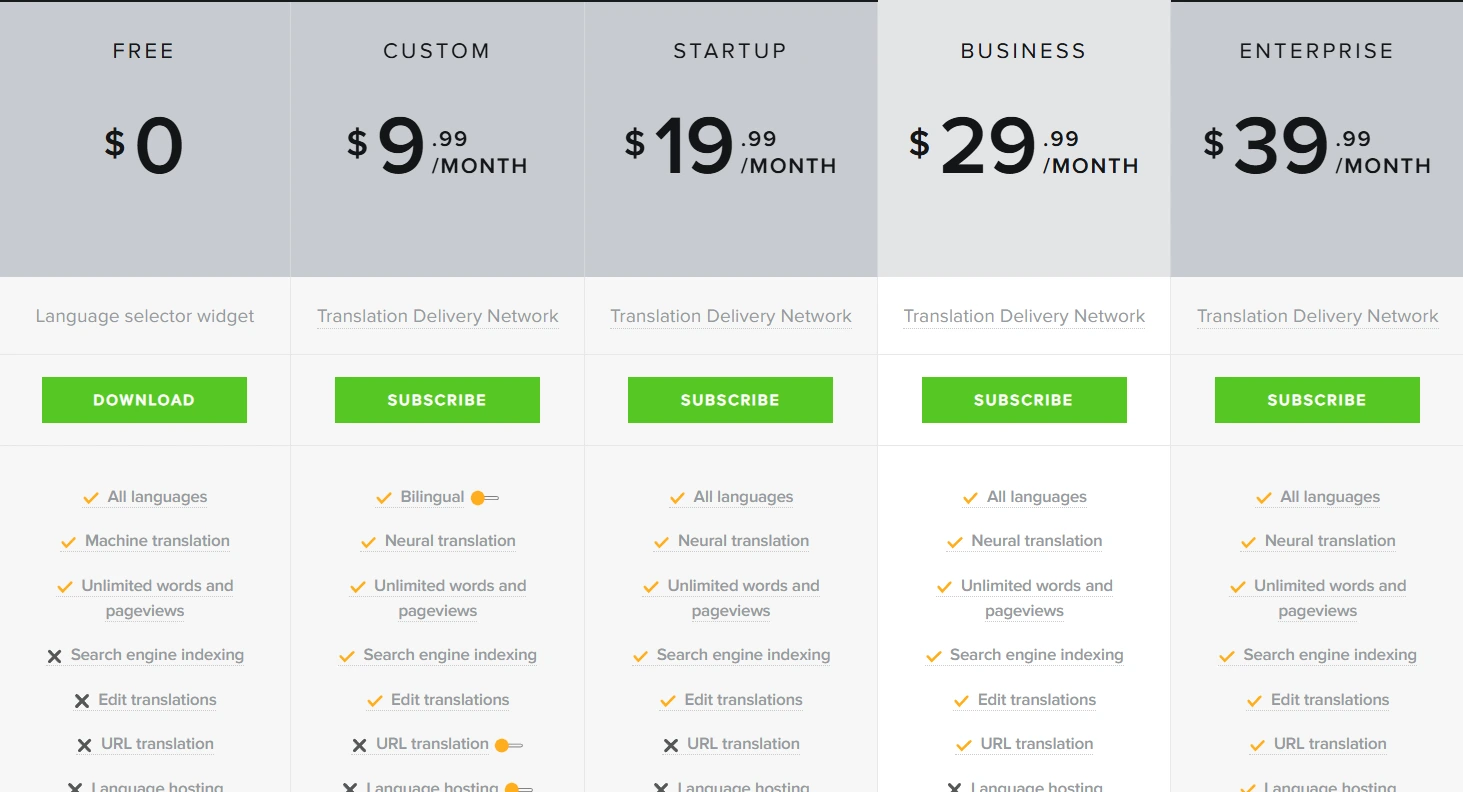
GTranslate offers five straightforward pricing plans: Free, Custom, Startup, Business, and Enterprise. Each plan is tailored to accommodate varying website requirements.
For a detailed overview of the pricing, visit the pricing details.
Pros and Cons
Pros:
- Easy installation and setup
- The plugin has a capacity that supports 100+ languages.
- Pro plans provide SEO-friendly features.
- Various affordable pricing plans that cover small- to medium-sized businesses
Cons:
- Some advanced-level features of plans can be obtained only through Pro plans.
- Machine transactions will not always be accurate.
Performance & Optimization Insights
GTranslate doesn’t affect WordPress performance that much because it works through a cloud-based system and puts minimal strain on your hosting services. Although the free version provides instant translations, they aren’t an indexable search engine. The pro plan makes website translation faster with the help of multilingual SEO and caching support. It’s advisable to use the plugin along with a powerful caching plugin such as WP Rocket or Litespeed Cache to prevent any possible occurrence of slowdowns.
Best Use Cases
- E-commerce Stores: The plugin is highly beneficial for WooCommerce stores that want to expand their business internationally, as it can expand to various regions and attract new customers.
- Bloggers & Publishers: Bloggers and publishers can gain global recognition by translating their content into various global and regional languages.
- Agencies & Businesses: Agencies and businesses are looking to expand their business operations to a wider area or place where the native language is popular, and in these kinds of situations, the plugin is highly useful and rewarding.
- Nonprofits & Education Sites: Nonprofits or education organizations highly benefit from these translation plugins, as they are able to convey their objectives and activities to a wider audience without any regional or linguistic barriers.
Alternative Plugins
WPML: WPML is one of the well-known multilingual plugins that has the capability to translate posts, pages, custom types, and even theme strings within WordPress. It can be a little complex for some of the users due to its wide range of advanced features.
Polylang: If your aim is to create either bilingual or multilingual WordPress sites, then Polylang is a perfect choice, as it is lightweight and user-friendly, and therefore it’s popular among site owners who want to maintain simplicity and better control over translations.
Weglot: Weglot is a cloud-based translation tool that automatically detects and translates your website content and provides high translation quality along with SEO-friendly translated URLs.
Final Thoughts & Recommendation
If your goal is to make your website accessible to a global audience without the hassle of managing multiple language versions, GTranslate is a solid choice. It combines simplicity with powerful features, allowing you to translate your site instantly and scale up as your needs grow. The free version is a great starting point for personal blogs or small websites, while the paid plans add SEO-friendly translations, better control, and professional features that make a real difference for businesses.

Leave a Reply
Articles
Related Insights.
Blogs and Resources on WordPress, WooCommerce, SEO and Marketing

Leave a
Comment.